Basic Photoshop with Pixy – Section 3
SAMPLE PHOTO Loading…

SAMPLE PHOTO Loading…
REFERENCE List of blending modes SAMPLE PHOTO 50 useful keyboard shortcuts 1. V – Move tool 2. M – Rectangular Marquee tool,Elliptical Marquee tool 3. L – Lasso tool,Polygonal Lasso tool, Magnetic Lasso tool 4. W – Magic Wand tool,Quick … Continue reading Basic Photoshop with Pixy – Section 2
Sample Photo List of Blending Modes Normal Edits or paints each pixel to make it the result color. This is the default mode. (Normal mode is called Threshold when you’re working with a bitmapped or indexed-color image.) Dissolve Edits or … Continue reading Basic Photoshop with Pixy – Section 1
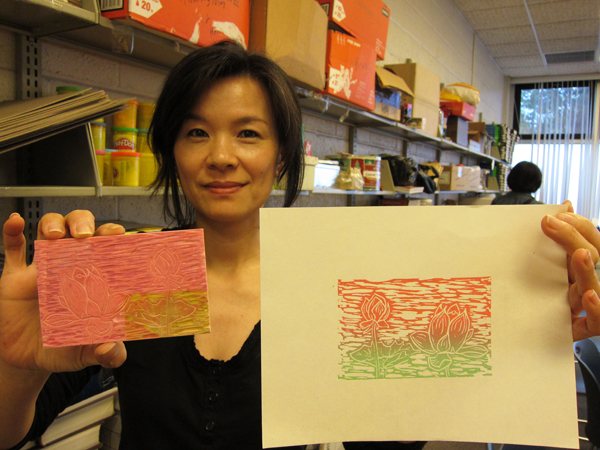
2011 創意絹印’ Basic Prink Making Class in Chinese with Szu-Wei Ho Student Works
8주: ‘모란도’ 또는 ‘연화도’ 마무리 수업 목표: 수강생들은 마지막 과정으로 다양한 색감을 사용하여 윤곽선을 그리고, 강조할 부분들은 색감을 사용하여 마무리 터치를 함으로 그림을 완성합니다.
7주: ‘모란도’ 또는 ‘연화도’ 계속됨 수업 목표: 수강생들은 네번째 층의 색감을 입힙니다.
6주: ‘모란도’ 또는 ‘연화도’ 계속됨 수업 목표: 수강생들은 세번째 층의 색감을 입힙니다.
5주: ‘모란도’ 또는 ‘연화도’ 계속됨 수업 목표: 수강생들은 두번째 층의 색감을 입힙니다. 색감을 입히기 전 ‘발림’기술을 배우게 될 것입니다. ‘발림’이란 그라데이션 효과를 사용하여 색감을 입히는 독특한 기법입니다. 또한 다음 수업을 위해 종이를 코팅해 놓을 것입니다.
4주: 이번주는 ‘문자도’ 를 마치고, ‘모란도’ 또는 ‘연화도’ 중하나를 선택하여 새로운 그림을 시작합니다.(나머지 4주 동안 이어짐) 수업과정 안내 : 이번주는 ‘문자도’를 끝낼 예정입니다. ‘문자도’를 끝내신 분들은 색감을 사용하는 ‘모란도’ 또는 ‘연화도’ 중 하나를 선택하셔서 새로운 그림을 시작하게 됩니다. 아래의 … Continue reading Korean Folk Painting with Seongmin Ahn – section 4
3주: ‘문자도’ 완성 섯째주의 목표 : 두번째 층을 색칠하여 문자도를 완성한다.